
RECIPES
Teach the tricky part.
A custom dropdown needs a click before a selection? Save those steps as a Recipe and let the next fill follow them.
See how Recipes work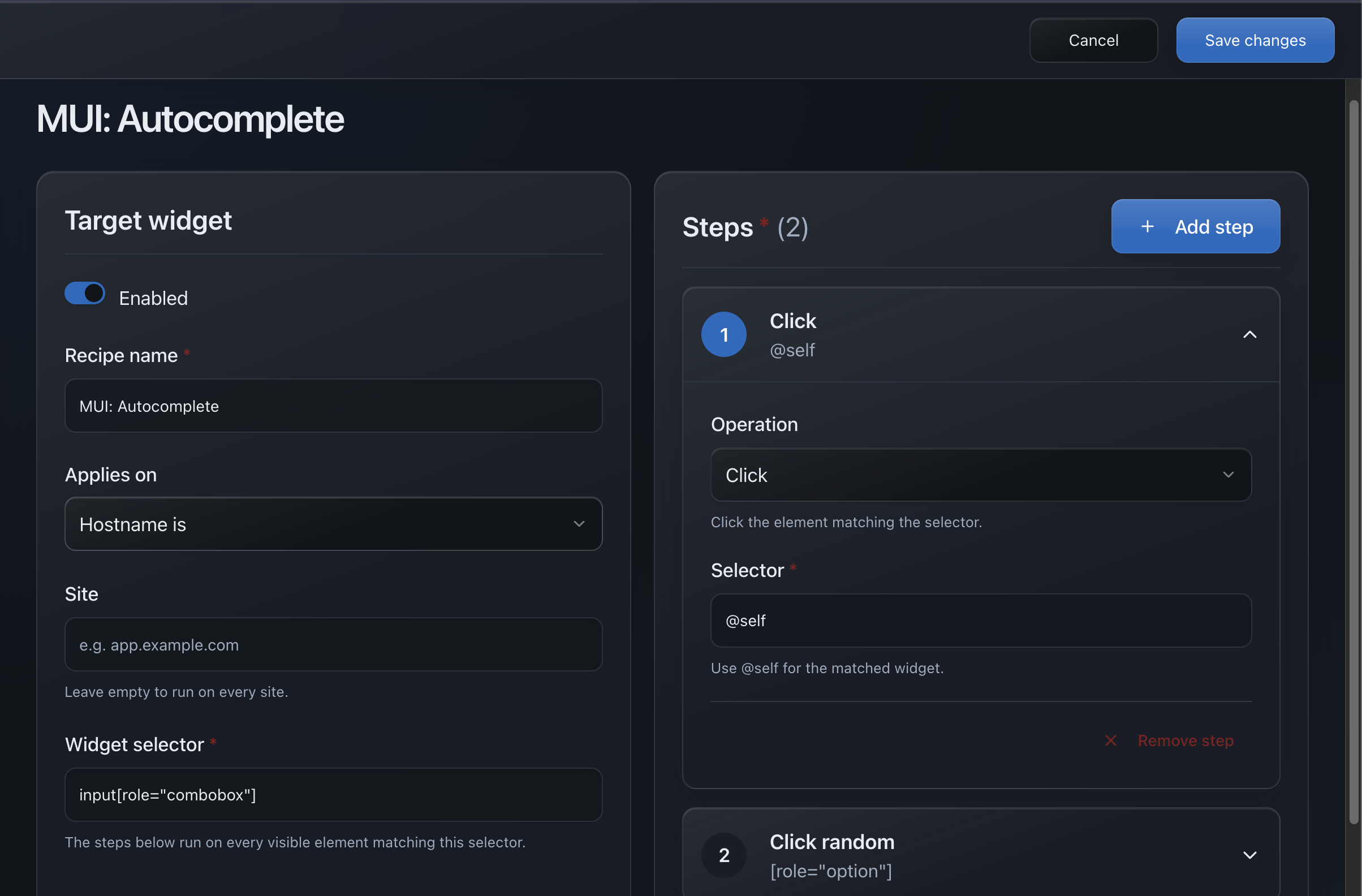
BUILT FOR DEVELOPERS & QA
A browser extension that autofills forms with realistic test data.
Fill in one click. Handle custom controls and save repeatable workflows for your next test.
Quick fill
Fill supported fields on this page.
MADE FOR THE FORMS YOU BUILD
LESS REPETITION. MORE MOMENTUM.
Start with one click. Add control as your tests need it.
Names, emails, addresses, dates. Realistic test data for the fields in front of you.
Try a signup formSet the values that matter. Teach a custom control its clicks and selections with a Recipe.
Explore RecipesSave a site-specific Action. The next time you test that flow, your setup is already there.
Meet the Action builderYOUR FORM. YOUR PLAYBOOK.
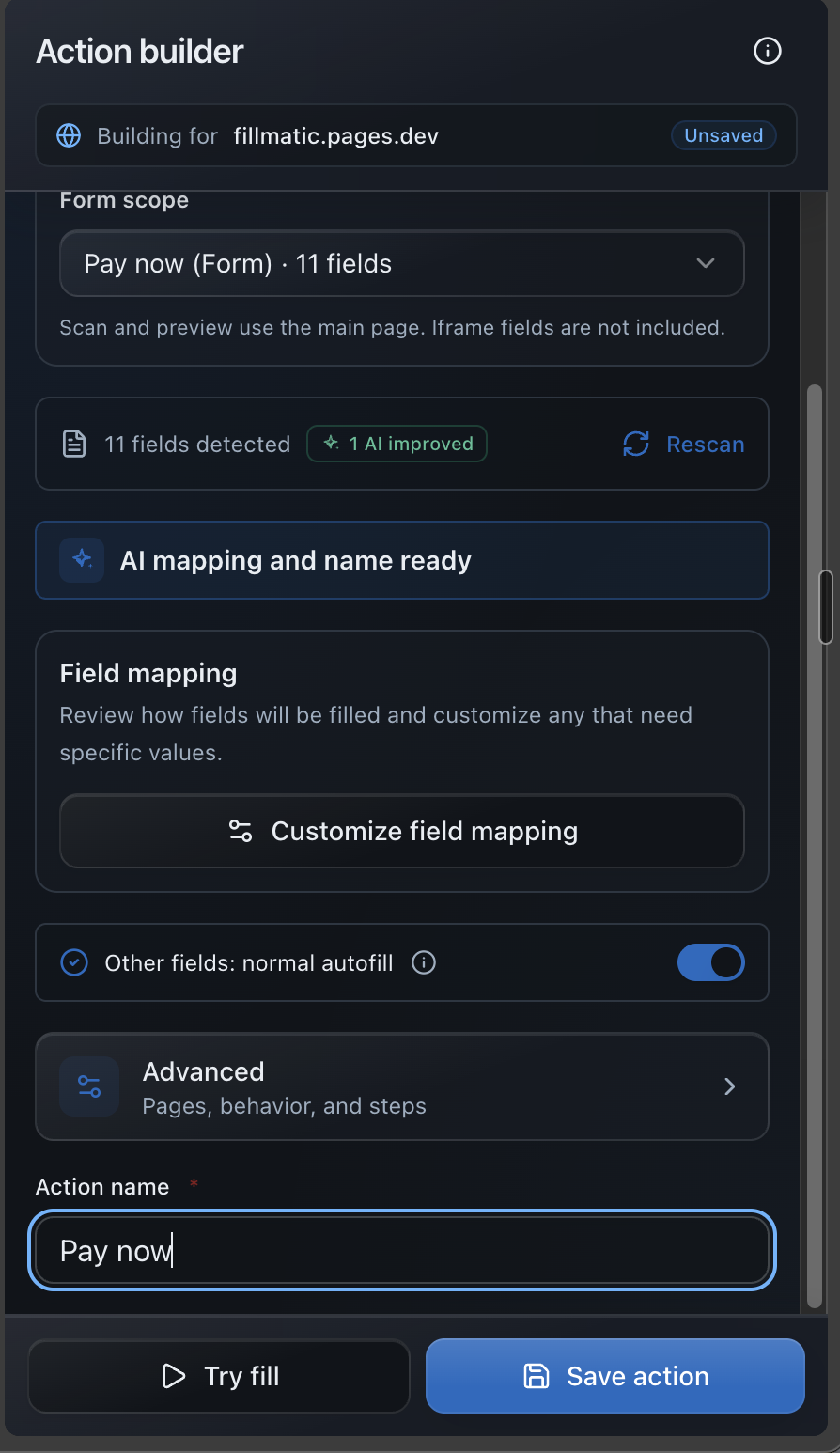
Turn a form you test often into a one-click Action, built beside the page in four steps.
Pick the form to scope. Its fields are listed for you.
Set the values that matter. Edit the suggested value for any field.
Preview the result on the page before you commit.
It appears on matching pages and runs without a model.
BEYOND THE TEXT BOX
From familiar inputs to the controls that need a little teaching.
RECIPES
A custom dropdown needs a click before a selection? Save those steps as a Recipe and let the next fill follow them.
See how Recipes workINPUTS, WIDGETS & EDITORS
Fill supported native inputs, common ARIA patterns, Radix/shadcn widgets, and editor-aware rich text.
Keep your app's state and validation in sync as supported fields are filled.
Names, dates, selects, checkboxes, and more.
Comboboxes, switches, sliders, and date pickers.
Editor-aware filling, including Tiptap.
Compatibility depends on the control. Try your stack in the demos. See support and limitations.
PROFILES
Give each project its own settings, field rules, Actions, and Recipes. Switch your active Profile right from the popup.
Build your testing setup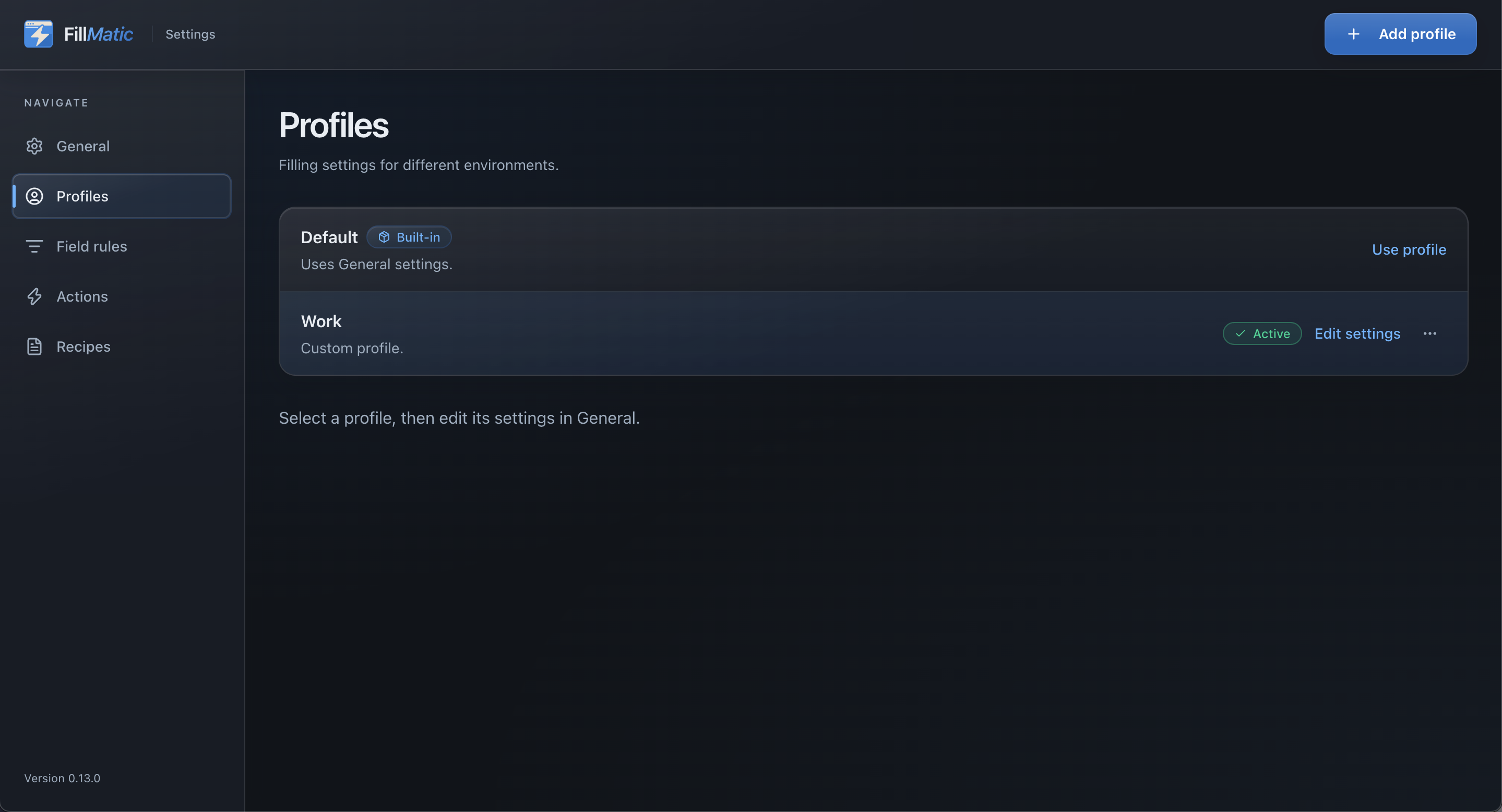
EVERYDAY TESTING
Restore the last fill on the same page, even after a reload. Keep the same values while you reproduce a bug.
For stable, supported fields during your browser session.
Fill the whole page, choose a named form, or fill just the focused field. Keep the rest of the page out of your way.
Shortcuts: Ctrl+Shift+X fills the page, Ctrl+Shift+8 the focused form, Ctrl+Shift+9 the focused field (Command on Mac). Change them in your browser's extension shortcuts.
Match fields by their label, name, ID, placeholder, or autocomplete attribute. Reuse fixed values or data generators.
Scope rules to a site and organize them by Profile.
Generate data in locales including English, Hindi, and French, or let the page and browser language guide it.
Review generated values against your own validation.
Fill supported fields inside iframes and open shadow roots. Values go in through real input events, so framework-controlled state stays in sync.
Saved Actions fill child frames only when you opt in.
See filled, skipped, and failed counts with reasons. Find the controls that need attention before you continue.
Inspect the completed form before submitting.
LOCAL BY DESIGN
Form inspection, data generation, and mapping happen locally.
Read the privacy detailsREADY WHEN YOU ARE
Add FillMatic from your browser's extension store, then pin it in your extensions menu.
Start with our signup demo or a page you're testing. You're in control of when filling starts.
Choose Fill all fields in the popup. Review the values and result summary before submitting.
It supports standard form fields, custom controls, rich-text editors, and many more. Compatibility depends on the control, so the demos are a good place to start. File inputs, closed Shadow DOM, and browser-owned pages are not supported.
Yes. Customize your test data with Field Rules, save repeatable workflows as Actions, and keep project setups separate with Profiles. Settings includes typing speed, ignored fields, and many more options.
Form inspection, data generation, and mapping run locally. Settings, Profiles, Actions, and Recipes are stored in your browser. Repeat-fill values last for the browser session.
Page access lets it find fields and fill supported forms across frames when you ask it to. Use it on pages you own or are authorized to test. Saved Actions fill child frames only when you opt in; the Action builder scans and previews the main page.
BUILT WITH YOUR FEEDBACK
Tell me what you were testing and where it got stuck. A public test page or a small reproduction helps.
Prefer email?LESS BUSYWORK. MORE BUILDING.
Desktop browser. Your workflow, saved locally.